Confluence
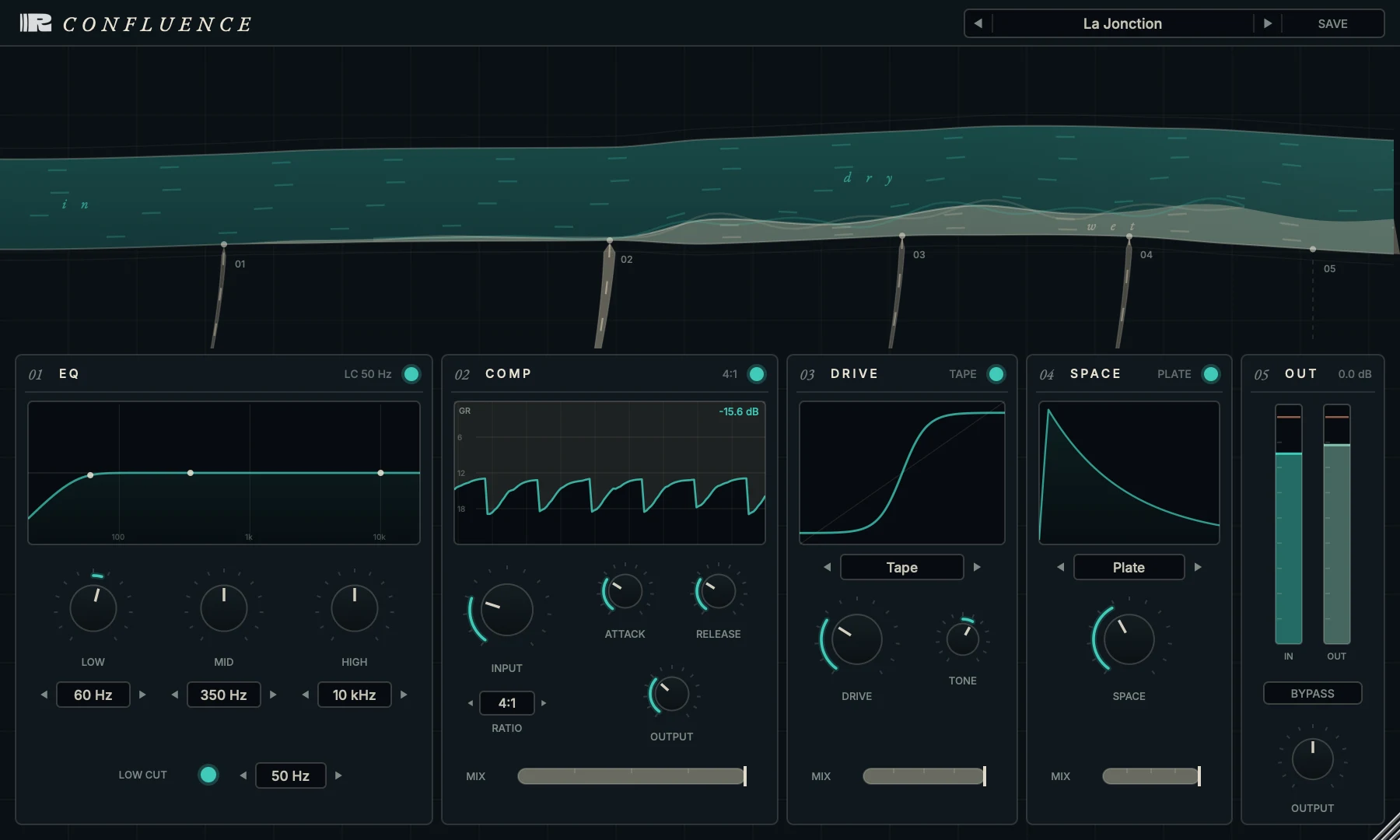
A complete mixing chain on one channel. The signal flows EQ → compression → drive → space, each stage with its own on/off. Every stage is voiced to play with the others - no surprise interactions.
No iLok. No subscription. Buy once, it's yours - VST3 and AU for macOS and Windows.
Installing on Windows? Read this first
Windows shows a blue "Windows protected your PC" screen for any app it hasn't seen before, including ours. To continue:
- Click More info on the blue screen.
- Click Run anyway, then follow the installer.
- FormatsVST3 · AU
- PlatformsmacOS · Windows
- TypeInsert effect
- Best forVocals · bass · drum bus
Four stages.
One coherent voice.
One slot doing four things and staying coherent. Bypass any stage you don't need; the fixed order is what gives Confluence its character. The 4× oversampled drive stays rich with none of the digital harshness.
EQ & Compressor
A low cut plus three musical bands, into a compressor with attack, release, ratio up to 20:1 and parallel mix.
Drive
Seven saturation flavors - Tape, Tube, Console, Warm, Fuzz, Clip and Crush - with tone and mix, 4× oversampled.
Space
Six space types - Reverb, Plate, Shimmer, Doubler, Granular and Width - place the track without leaving the strip.