Is this safe? Yes. Our installer is brand new and not yet code-signed, so Microsoft Defender SmartScreen labels it "unrecognized" / "Unknown publisher." That is a reputation notice, not a virus warning - the file is the official RIPPLES installer you downloaded from us.
Run the installer
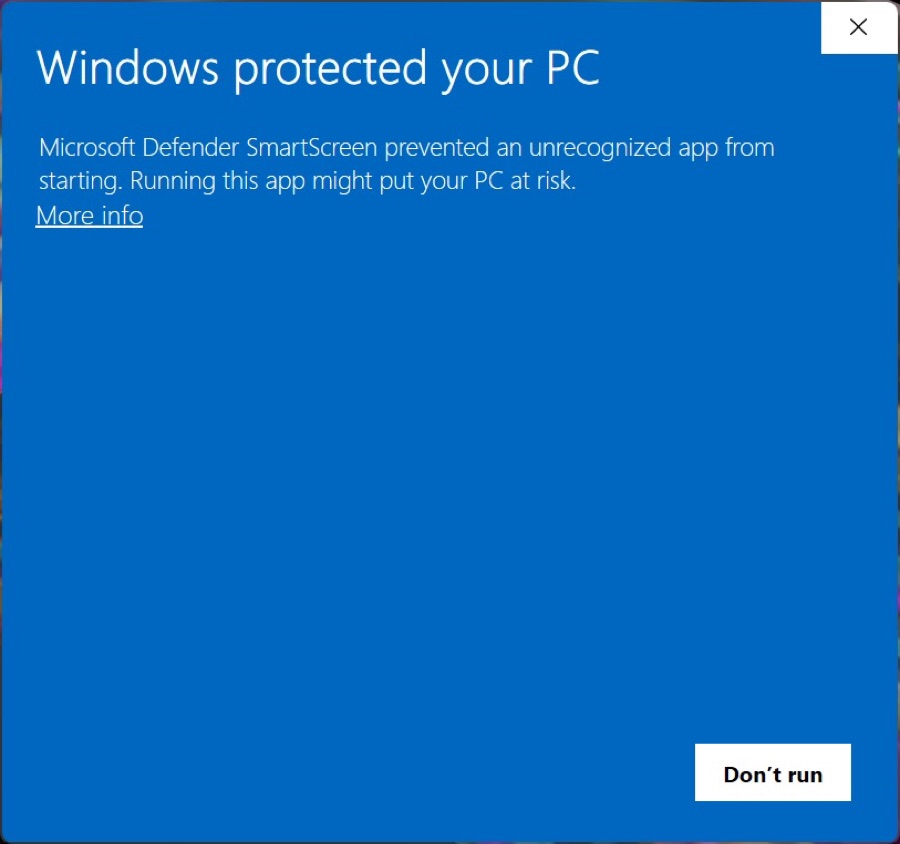
Double-click the RIPPLES_<Plugin>_Installer.exe you downloaded. Windows shows a blue "Windows protected your PC" screen. Click the small More info link.
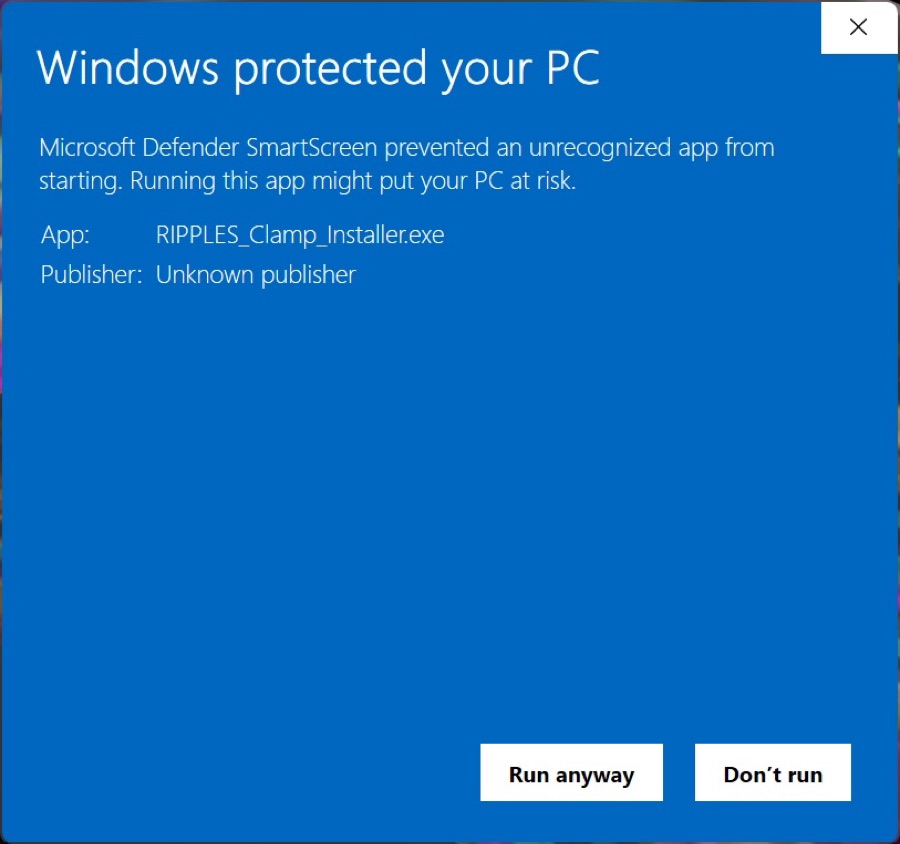
Click "Run anyway"
The screen expands to show the app name (RIPPLES_<Plugin>_Installer.exe). A Run anyway button appears at the bottom - click it to continue.
Accept the licence and install
Follow the installer and accept the End User License Agreement when prompted. The plugin's VST3 is installed to the standard folder, C:\Program Files\Common Files\VST3.
Open your DAW
Launch your music software. Most DAWs scan for new plugins on startup; if you don't see the plugin, trigger a plugin rescan in your DAW's preferences (look for VST / Plug-In Manager) and make sure the VST3 folder above is enabled.
Stuck or seeing something different? We're happy to help - email office@ripples-music.com or use the contact page.